
The estimated reading time for this post is 373 seconds
Accounts payable (AP) is one of the most practical places for finance teams to deploy robotic process automation (RPA). The work is repetitive, rules-driven and often spread across email, spreadsheets, accounting software and enterprise resource planning (ERP) systems.
RPA in Accounts Payable is becoming a practical way for finance teams to automate repetitive work, reduce manual data entry, and improve processing efficiency.
But there is a common mistake: trying to automate the entire AP department at once.
For companies looking for fast ROI, RPA in accounts payable works best when automation starts with a narrow process that has high transaction volume, predictable rules and measurable labor costs.
The goal is not simply to deploy a robot. It is to remove the most expensive manual steps while keeping humans responsible for exceptions and judgment.
Why RPA in Accounts Payable Can Deliver Faster ROI
Accounts payable teams typically handle invoice capture, data entry, purchase-order matching, approvals, vendor inquiries, payment preparation and reconciliation.
Several of these activities are highly repetitive, making them suitable for automation.
Deloitte identifies invoice entry into an ERP, purchase-order changes and invoice matching against purchase orders and receipts among common AP activities that can be automated with RPA.
The potential financial impact can also be significant. UiPath currently cites research showing automated invoice processing can reduce processing costs substantially and shorten invoice cycle times compared with manual workflows.
However, the fastest ROI usually comes from automating the bottleneck rather than automating everything.
1. Start With Invoice Data Entry
The first target for most AP departments should be invoice data entry.
Employees may receive invoices through email, PDFs, supplier portals or other channels and manually enter information such as:
- Vendor name
- Invoice number
- Invoice date
- Purchase order number
- Amount
- Tax
- Payment terms
- General ledger coding
This is precisely the type of repetitive activity where RPA can create immediate efficiency gains.
For many finance teams, RPA in Accounts Payable should begin with invoice data entry because employees often spend significant time transferring information from invoices into accounting or ERP systems.
Modern invoice automation can combine OCR, intelligent document processing and RPA to capture information before sending structured data into an ERP or AP system. IBM describes automated invoice processing as a combination of technologies that ingest, extract, validate and route invoice information.
For companies processing thousands of invoices each month, even a modest reduction in manual handling can produce measurable savings.
ROI metric to track: average minutes spent processing each invoice.
2. Automate Purchase-Order Matching
Once invoice data capture is automated, the next opportunity is matching invoices against purchase orders and receipts.
A basic three-way match compares:
Invoice → Purchase Order → Goods Receipt
The objective is to determine whether the billed amount and quantities correspond with what the company ordered and received.
RPA can retrieve information from the relevant systems, compare predefined fields and automatically route exceptions.
For example, if an invoice matches the PO and receipt within established tolerance limits, the system can move it toward approval. If the price or quantity differs, the invoice can be sent to an AP employee.
This creates an important principle for RPA in accounts payable: automate the routine transactions and send exceptions to humans.
UiPath describes this model as automating capture, validation and matching while routing exceptions for human attention.
3. Automate Approval Routing
Invoice approvals can become a hidden AP bottleneck.
An invoice may sit in an employee’s inbox for days because the wrong person received it, the approver is unavailable or the required documentation is missing.
RPA can automate the administrative side of approval workflows.
For example, a bot can:
- Identify the appropriate approver.
- Check invoice information against approval rules.
- Send the invoice for review.
- Track the approval status.
- Send reminders when deadlines approach.
- Escalate overdue approvals.
The key is that automation should route and monitor approvals, rather than blindly approving financial transactions.
That distinction protects internal controls while reducing unnecessary administrative work.
4. Automate ERP Posting
Another strong candidate is transferring validated invoice information into the ERP.
Without automation, employees may repeatedly move information between email, spreadsheets, invoice systems and ERP screens.
RPA can perform these structured tasks automatically after validation.
The benefit is twofold: fewer keystrokes and fewer opportunities for transcription errors.
This is especially useful when an organization has older systems that do not easily integrate through modern APIs. RPA can act as an automation layer around existing applications without requiring an immediate ERP replacement.
That can lower the barrier to adoption for finance departments operating with legacy technology.
5. Automate Payment Preparation — Not Payment Authority
Payment processing can offer significant efficiency gains, but it requires stronger controls.
RPA can prepare payment files, verify invoice status, collect approved payment information and perform reconciliation activities.
However, companies should be cautious about allowing a bot to independently release payments.
A safer model is automation plus human authorization.
The robot handles preparation and validation. An authorized employee reviews the payment batch and provides final approval.
This approach can reduce manual workload while maintaining segregation of duties and financial controls.
What Should You Automate First?
For companies evaluating RPA in accounts payable, the priority should generally follow transaction volume and process predictability.
A practical sequence is:
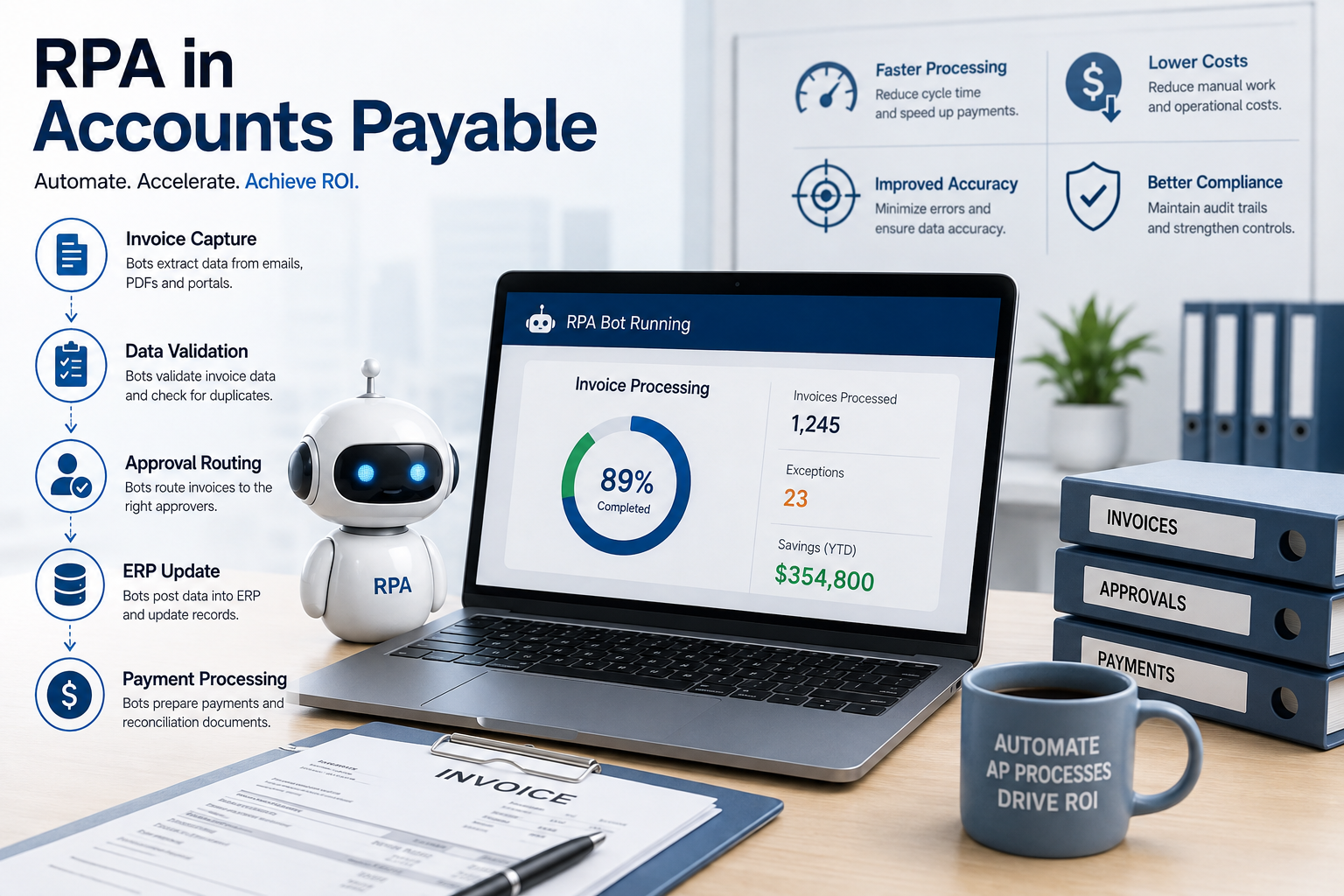
1. Invoice data entry → 2. PO matching → 3. Approval routing → 4. ERP posting → 5. Payment preparation
This sequence allows organizations to establish measurable gains before expanding automation.
It also creates a cleaner foundation for more advanced technologies such as artificial intelligence and intelligent document processing.
How to Calculate the ROI
Finance leaders should avoid measuring automation success solely by the number of bots deployed.
Instead, calculate the economics before implementation.
A simple framework is:
Annual ROI = (Labor savings + error reduction + avoided costs + additional benefits − automation costs) ÷ automation costs
Track metrics such as:
- Cost per invoice
- Processing time per invoice
- Number of invoices processed per employee
- Exception rate
- Duplicate-payment rate
- Approval cycle time
- Percentage of invoices processed without manual intervention
UiPath cites research indicating automated invoice processing can reduce invoice costs and processing time, illustrating why invoice automation is often an attractive starting point for AP transformation.
The exact ROI will vary by company, invoice volume, process complexity and technology costs.
The Biggest Mistake: Automating a Broken Process
RPA does not automatically fix inefficient processes.
If invoices routinely require manual research because purchase orders are incomplete, vendor information is inconsistent or approval rules are unclear, simply adding a robot may reproduce the same problems faster.
Deloitte’s work on AP transformation highlights the importance of standardizing processes and strengthening controls before layering automation on top.
That means finance leaders should first document the current workflow, eliminate unnecessary steps and establish clear rules.
Only then should the automation be designed.
Read more: Zero-Based Budgeting: Why Google and Netflix Use It
The Bottom Line
The best starting point for RPA in accounts payable is usually not the most sophisticated process. It is the repetitive process with the clearest business case.
Invoice data entry is often the logical first step because it combines high transaction volume, repetitive work and measurable labor costs. Purchase-order matching, approval routing and ERP posting can follow as the automation program matures.
The winning strategy is simple: automate routine work, keep humans in control of exceptions and measure the financial impact from day one.
For AP leaders, that approach can turn automation from an expensive technology experiment into a practical finance transformation with measurable ROI.
Sources
IBM — Automated Invoice Processing
Deloitte — Hands Off the Task, Eyes on the Outcome